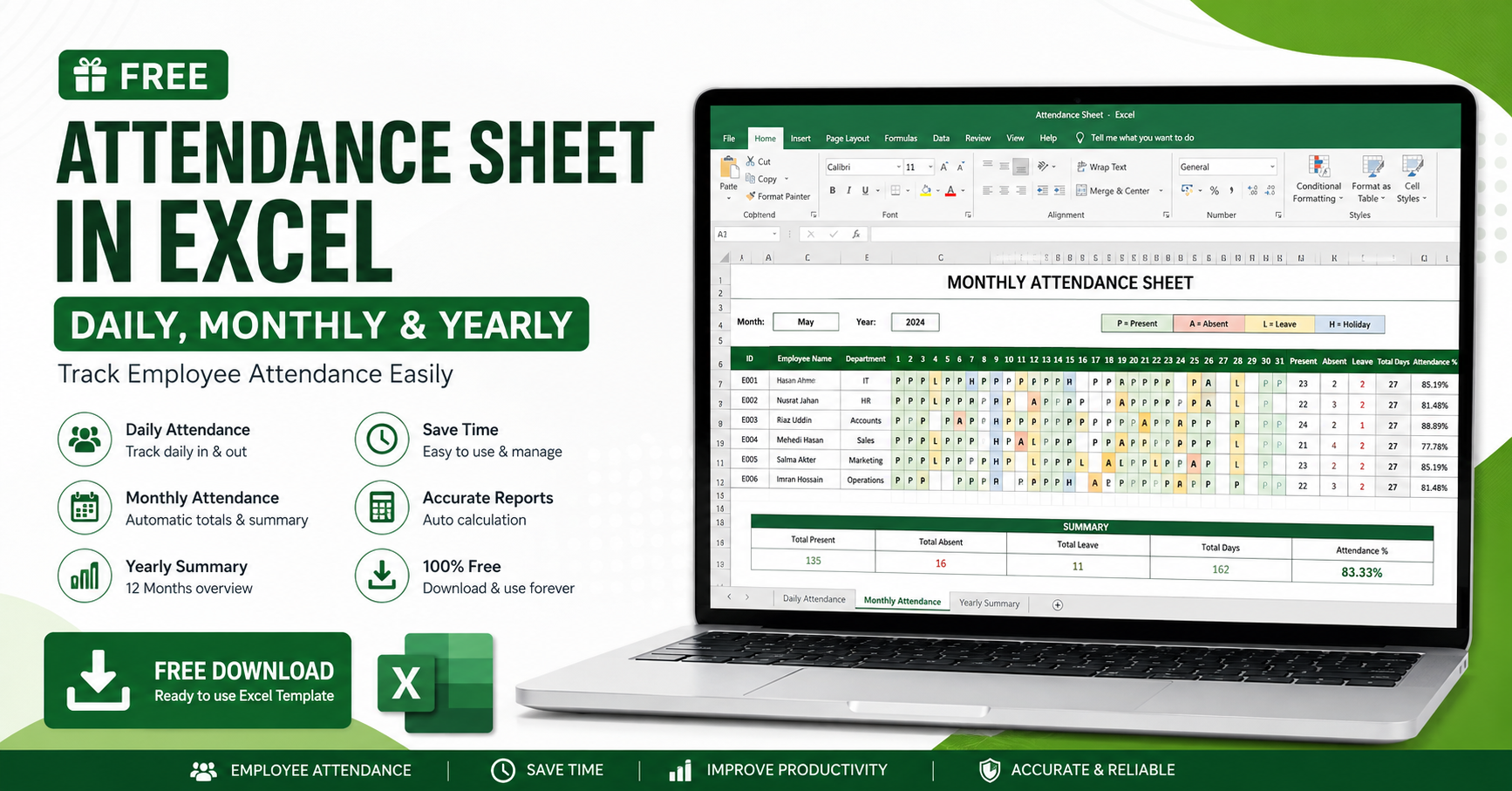
Managing employee attendance is one of the most important responsibilities of every HR department and business owner. Whether you run a small business, startup, factory, school, hospital, or corporate office, maintaining accurate attendance records helps improve productivity, payroll accuracy, and compliance.
If you're looking for a Free Attendance Sheet in Excel, you're in the right place.
In this guide, you'll learn everything about attendance sheets, their benefits, different formats, and how to use Excel to track attendance efficiently.
An Attendance Sheet is a document used to record employees', students', or workers' presence, absence, leave, late arrival, overtime, and holidays.
Attendance sheets can be maintained in:
Microsoft Excel
Google Sheets
HR Software
Biometric Attendance Systems
Mobile Attendance Apps
Among these, Excel Attendance Sheets remain one of the most popular choices because they are free, simple, and customizable.
Businesses choose Excel because it offers flexibility without additional software costs.
Free to use
Easy to customize
No internet required
Automatic calculations
Payroll preparation
Leave tracking
Overtime calculation
Suitable for any organization size
A Daily Attendance Sheet records attendance for one specific day.
Typical columns include:
Employee ID
Employee Name
Department
Date
Check-in Time
Check-out Time
Working Hours
Overtime
Status (Present, Absent, Leave)
Best for:
Offices
Retail shops
Construction companies
Hospitals
Monthly attendance sheets summarize attendance across an entire month.
Common columns include:
Employee Name
Employee ID
1–31 Date Columns
Present (P)
Absent (A)
Leave (L)
Holiday (H)
Weekend (W)
Total Present
Total Absent
Total Leave
Total Working Days
Benefits:
Easy payroll calculation
Attendance summaries
Leave management
Performance evaluation
Yearly attendance sheets consolidate attendance for all 12 months.
It helps HR departments analyze:
Total working days
Total present days
Leave balance
Annual attendance percentage
Absenteeism trends
Employee performance
This Excel attendance template is suitable for:
Small Businesses
Large Companies
Schools
Colleges
Coaching Centers
Factories
Garments Industries
NGOs
Hospitals
Pharmacies
Restaurants
Hotels
Warehouses
Construction Companies
Government Offices
Freelance Teams
Our attendance sheet includes:
✅ Daily Attendance Tracking
✅ Monthly Attendance Report
✅ Yearly Attendance Summary
✅ Employee Information
✅ Automatic Attendance Count
✅ Total Present Calculation
✅ Total Absent Calculation
✅ Leave Tracking
✅ Holiday Management
✅ Weekend Management
✅ Attendance Percentage
✅ Overtime Calculation
✅ Printable Format
✅ Excel Compatible
✅ Google Sheets Compatible
Most organizations use the following attendance codes:
| Code | Meaning |
|---|---|
| P | Present |
| A | Absent |
| L | Leave |
| H | Holiday |
| W | Weekend |
| OD | Official Duty |
| HD | Half Day |
| OT | Overtime |
| SL | Sick Leave |
| CL | Casual Leave |
| EL | Earned Leave |
| LWP | Leave Without Pay |
Creating an attendance sheet is simple.
Open Microsoft Excel.
Create employee information columns:
Employee ID
Employee Name
Department
Designation
Add dates across the top row.
Mark attendance daily using attendance codes.
Use formulas to calculate:
Total Present
Total Leave
Total Absent
Attendance Percentage
=COUNTIF(B2:AF2,"P")
=COUNTIF(B2:AF2,"A")
=COUNTIF(B2:AF2,"L")
=(Present Days/Working Days)*100
Attendance data directly impacts salary calculations.
Managers can monitor attendance patterns and improve workforce discipline.
Track all leave types in one place.
Maintain attendance records for labor law compliance.
Attendance reports help during employee appraisals.
Although Excel is excellent for small businesses, it has limitations.
Manual entry
Human error
No biometric integration
No GPS attendance
No mobile app
Difficult for large organizations
Limited automation
As your business grows, an automated HR Management System becomes a better solution.
If your organization has many employees, manual attendance tracking can become time-consuming.
A modern HR Management System provides:
Biometric Attendance Integration
Face Recognition Attendance
GPS Attendance
Mobile Attendance App
Leave Management
Payroll Management
Shift Management
Overtime Calculation
Employee Self-Service (ESS)
Real-Time Attendance Reports
Dashboard & Analytics
Multi-Branch Support
These features help reduce manual work and improve HR efficiency.
Yes. You can create or customize a similar attendance sheet in Microsoft Excel at no cost.
Yes. Most Excel attendance sheets work with Google Sheets.
📥 Free_Attendance_Sheet_Daily_Monthly_Yearly.xlsx
Absolutely. You can record casual leave, sick leave, earned leave, holidays, weekends, and other attendance statuses.
Yes. Excel formulas like COUNTIF and SUM make attendance calculations automatic.
Yes. Monthly attendance reports can support payroll preparation by providing accurate attendance records.
Update attendance daily.
Verify attendance records regularly.
Keep backups of attendance files.
Use consistent attendance codes.
Protect Excel sheets with passwords if needed.
Review attendance before payroll processing.
Archive monthly and yearly attendance reports.
A Free Attendance Sheet in Excel is a practical solution for businesses that need a simple and cost-effective way to monitor employee attendance. Whether you require a Daily Attendance Sheet, Monthly Attendance Register, or Yearly Attendance Report, Excel offers flexibility and ease of use.
For growing organizations, transitioning to an automated HR Management System can further streamline attendance tracking, payroll processing, leave management, and workforce reporting. Choose the solution that best fits your organization's size and operational needs.